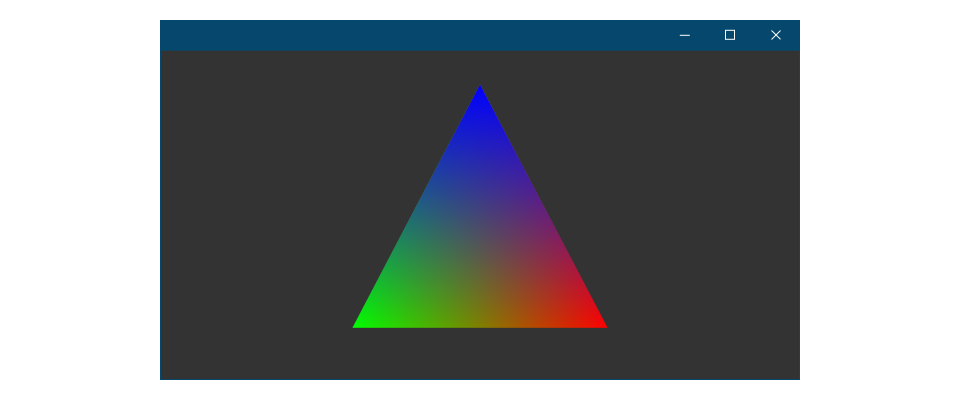
An introduction to writing a simple Hello Triangle DirectX 11 application. DirectX 11 is the previous version of the standard low level graphics API for writing Windows applications, supporting compute, rasterization, and much more.
DirectX 11 is the previous version of Microsoft's proprietary graphics API, designed to be simple to work with, while at the same time capable of high performance rendering. While DirectX 11 is an older API, it's still possible to use DirectX 11 with 12 through the library DirectX 11 on 12 or directly interfacing with the API.
That being said, given that there's a newer version of DirectX available to engineers, it may be best to start any greenfield projects with DirectX 12, though 11 is much simpler and can serve as a good entry point to graphics programming.
DirectX's documentation recommends the use of ComPtr<T> as an alternative to std::shared_ptr<T>, with the benefit of better debugging and easier initialization of DirectX 11 data structures.
Regardless of whether or not you choose to use ComPtr<T>, the steps to rendering raster graphics with DirectX 11 are pretty similar to other modern graphics APIs:
Initialize the API - Create your IDXGIFactory, IDXGIAdapter, ID3D11Device, and ID3D11DeviceContext.
Setup Frame Backings - Create your IDXGIOutput to determine what your back buffer color space/size should be, IDXGISwapChain for your back buffers, get your back buffer ID3D11Texture2D and create ID3D11RenderTargetViews for those back buffers.
Initialize Resources - Create your Triangle Data such as your ID3D11Buffer Vertex Buffers, ID3D11Buffer Index Buffer, ID3D11Buffer Constant Buffer. Compile or load your ID3D11VertexShader and ID3D11PixelShader, your constant buffer ID3D11Buffers and and define your Raster Pipeline State with ID3D11DepthStencilState, ID3D11RasterizerState, etc.
Render - Update your GPU constant buffer data (Uniforms), write commands to your ID3D11DeviceContext, and Present your swapchain.
Destroy - Destroy any data structures you're done using with Release() or rely on ComPtr<T> deallocating for you.
The following will explain snippets of a DirectX 11 application, with certain parts omitted, and member variables (mMemberVariable) declared inline without the m prefix so their type is easier to see and the examples here can work on their own.
Window Creation
We're using CrossWindow to handle cross platform window creation, so creating a Win32 window and updating it is very easy:
An Adapter Output allows you to query display information for their color space and refresh rate.
// 👋 declare handles
IDXGIOutput* adapterOutput;
unsigned numerator = 0;
unsigned denominator = 1;
ThrowIfFailed(adapter->EnumOutputs(0, &adapterOutput));
// Get the number of modes that fit the DXGI_FORMAT_R8G8B8A8_UNORM display// format for the adapter output (monitor).unsignedint numModes;
DXGI_MODE_DESC* displayModeList;
ThrowIfFailed(adapterOutput->GetDisplayModeList(DXGI_FORMAT_R8G8B8A8_UNORM,
DXGI_ENUM_MODES_INTERLACED,
&numModes, NULL));
// Create a list to hold all the possible display modes for this monitor/video// card combination.
displayModeList = new DXGI_MODE_DESC[numModes];
ThrowIfFailed(adapterOutput->GetDisplayModeList(DXGI_FORMAT_R8G8B8A8_UNORM,
DXGI_ENUM_MODES_INTERLACED,
&numModes, displayModeList));
// Now go through all the display modes and find the one that matches the screen// width and height. When a match is found store the numerator and denominator// of the refresh rate for that monitor.for (size_t i = 0; i < numModes; i++)
{
if (displayModeList[i].Width = width && displayModeList[i].Height == height)
{
numerator = displayModeList[i].RefreshRate.Numerator;
denominator = displayModeList[i].RefreshRate.Denominator;
break;
}
}
// Release the display mode list.delete[] displayModeList;
displayModeList = nullptr;
Device
A Device is your primary entry point to the DirectX 11 API, giving you the ability to create data structures such as buffers, textures, views, pipeline states, etc.
The Device Context is where you can execute commands, be it setting the raster pipeline, drawing triangles, or setting frame buffer attachments.
Swapchains handle swapping and allocating back buffers to display what you're rendering to a given window. CrossWindow-Graphics makes creating a swapchain for a window very easy:
// 👋 declare handles
IDXGISwapChain* swapchain;
bool vsync = false;
unsigned width = 640;
unsigned height = 640;
DXGI_SWAP_CHAIN_DESC swapchainDesc;
ZeroMemory(&swapchainDesc, sizeof(DXGI_SWAP_CHAIN_DESC));
swapchainDesc.BufferCount = 1;
swapchainDesc.BufferDesc.Width = width;
swapchainDesc.BufferDesc.Height = height;
swapchainDesc.BufferDesc.Format = DXGI_FORMAT_R8G8B8A8_UNORM;
// 🏃♀️ Set the refresh rate of the back buffer.if (vsync)
{
swapchainDesc.BufferDesc.RefreshRate.Numerator = numerator;
swapchainDesc.BufferDesc.RefreshRate.Denominator = denominator;
}
else
{
swapchainDesc.BufferDesc.RefreshRate.Numerator = 0;
swapchainDesc.BufferDesc.RefreshRate.Denominator = 1;
}
// Set the usage of the back buffer.
swapchainDesc.BufferUsage = DXGI_USAGE_RENDER_TARGET_OUTPUT;
// Turn multi-sampling off.
swapchainDesc.SampleDesc.Count = 1;
swapchainDesc.SampleDesc.Quality = 0;
// Set the scan line ordering and scaling to unspecified.
swapchainDesc.BufferDesc.ScanlineOrdering =
DXGI_MODE_SCANLINE_ORDER_UNSPECIFIED;
swapchainDesc.BufferDesc.Scaling = DXGI_MODE_SCALING_UNSPECIFIED;
// Discard the back buffer contents after presenting.
swapchainDesc.SwapEffect = DXGI_SWAP_EFFECT_DISCARD;
// Don't set the advanced flags.
swapchainDesc.Flags = 0;
swapchain = xgfx::createSwapchain(window, factory, device, &swapchainDesc);
Render Targets
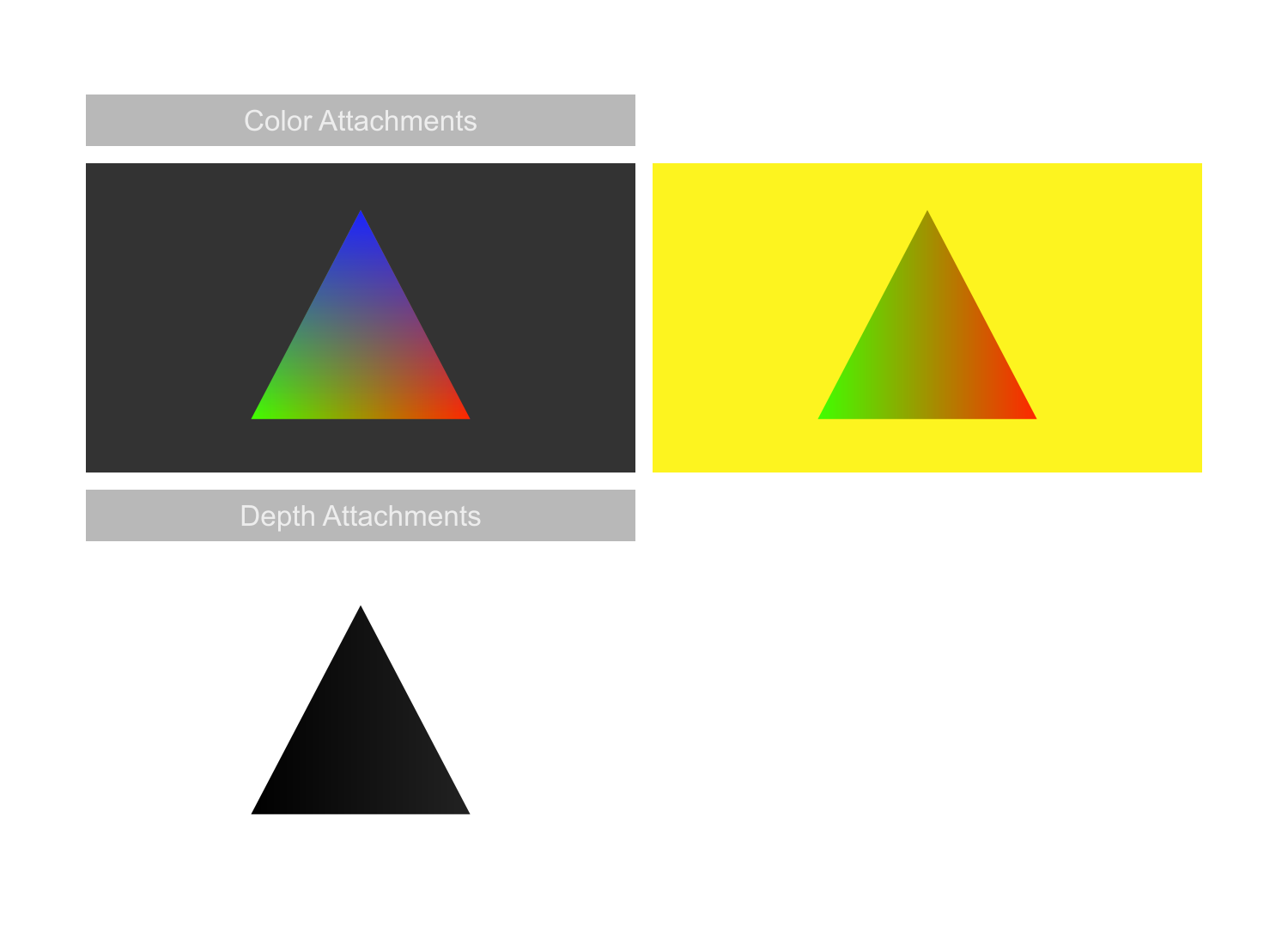
Render Targets are textures that will be written to during raster based rendering.
// 👋 declare handles
ID3D11RenderTargetView* renderTargetView;
ID3D11Texture2D* backbufferTex;
xwin::WindowDesc desc = window->getDesc();
// Get the back buffer texture.ThrowIfFailed(swapchain->GetBuffer(0, IID_PPV_ARGS(&backBufferTex)));
// Create the render target view with the back buffer pointer.ThrowIfFailed(device->CreateRenderTargetView(backBufferTex, NULL,
&renderTargetView));
// Create the texture for the depth buffer.
D3D11_TEXTURE2D_DESC depthBufferDesc;
ZeroMemory(&depthBufferDesc, sizeof(depthBufferDesc));
depthBufferDesc.Width = width;
depthBufferDesc.Height = height;
depthBufferDesc.MipLevels = 1;
depthBufferDesc.ArraySize = 1;
depthBufferDesc.Format = DXGI_FORMAT_D24_UNORM_S8_UINT;
depthBufferDesc.SampleDesc.Count = 1;
depthBufferDesc.SampleDesc.Quality = 0;
depthBufferDesc.Usage = D3D11_USAGE_DEFAULT;
depthBufferDesc.BindFlags = D3D11_BIND_DEPTH_STENCIL;
depthBufferDesc.CPUAccessFlags = 0;
depthBufferDesc.MiscFlags = 0;
ThrowIfFailed(device->CreateTexture2D(&depthBufferDesc, NULL,
&depthStencilBuffer));
// Create the depth stencil view.
D3D11_DEPTH_STENCIL_VIEW_DESC depthStencilViewDesc;
ZeroMemory(&depthStencilViewDesc, sizeof(depthStencilViewDesc));
depthStencilViewDesc.Format = DXGI_FORMAT_D24_UNORM_S8_UINT;
depthStencilViewDesc.ViewDimension = D3D11_DSV_DIMENSION_TEXTURE2D;
depthStencilViewDesc.Texture2D.MipSlice = 0;
ThrowIfFailed(device->CreateDepthStencilView(depthStencilBuffer,
&depthStencilViewDesc,
&depthStencilView));
Resources
Vertex Buffer
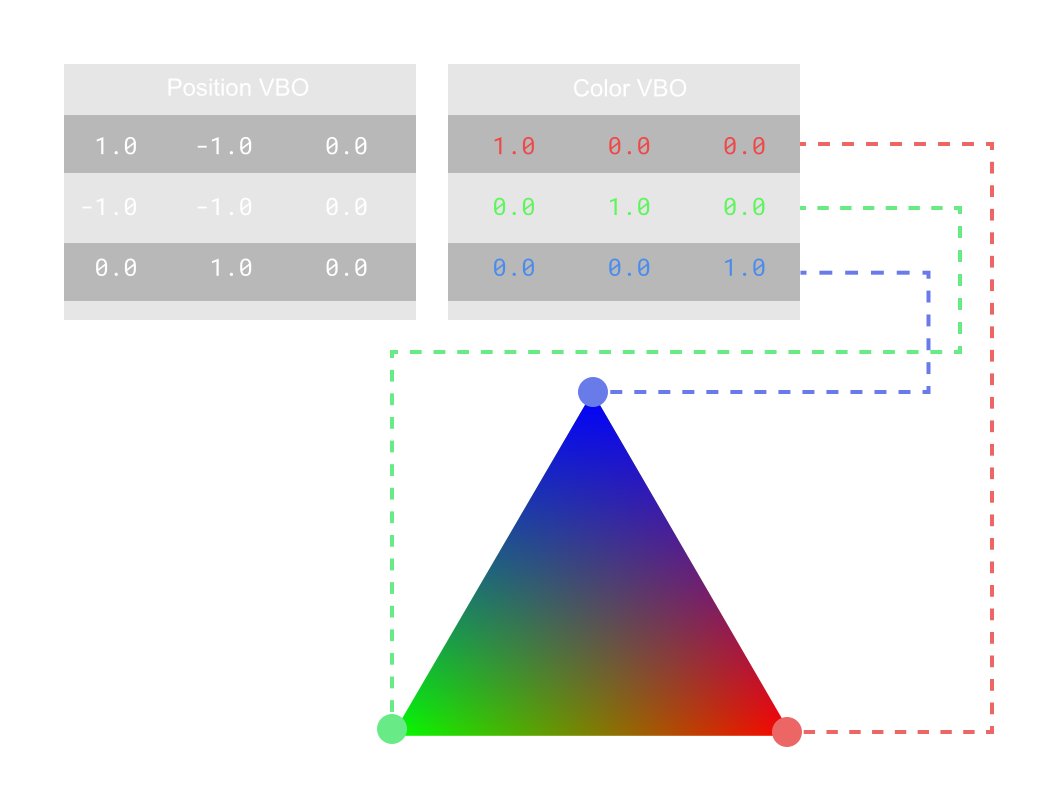
A Vertex Buffer stores the per vertex information available as attributes in your Vertex Shader. All buffers are ID3D11Buffer objects in DirectX 11, be it Vertex Buffers, Index Buffers, Constant Buffers, etc.
// 💾 Declare DatastructVertex
{
float position[3];
float color[3];
};
Vertex vertexBufferData[3] = {{{1.0f, 1.0f, 0.0f}, {1.0f, 0.0f, 0.0f}},
{{-1.0f, 1.0f, 0.0f}, {0.0f, 1.0f, 0.0f}},
{{0.0f, -1.0f, 0.0f}, {0.0f, 0.0f, 1.0f}}};
// 👋 declare handles
ID3D11Buffer* vertexBuffer;
// Set up the description of the static vertex buffer.
D3D11_BUFFER_DESC vertexBufferDesc;
vertexBufferDesc.Usage = D3D11_USAGE_DEFAULT;
vertexBufferDesc.ByteWidth = sizeof(Vertex) * 3;
vertexBufferDesc.BindFlags = D3D11_BIND_VERTEX_BUFFER;
vertexBufferDesc.CPUAccessFlags = 0;
vertexBufferDesc.MiscFlags = 0;
vertexBufferDesc.StructureByteStride = 0;
// Give the subresource structure a pointer to the vertex data.
D3D11_SUBRESOURCE_DATA vertexData;
vertexData.pSysMem = vertexBufferData;
vertexData.SysMemPitch = 0;
vertexData.SysMemSlicePitch = 0;
// Now create the vertex buffer.ThrowIfFailed(device->CreateBuffer(&vertexBufferDesc, &vertexData,
&vertexBuffer));
Index Buffer
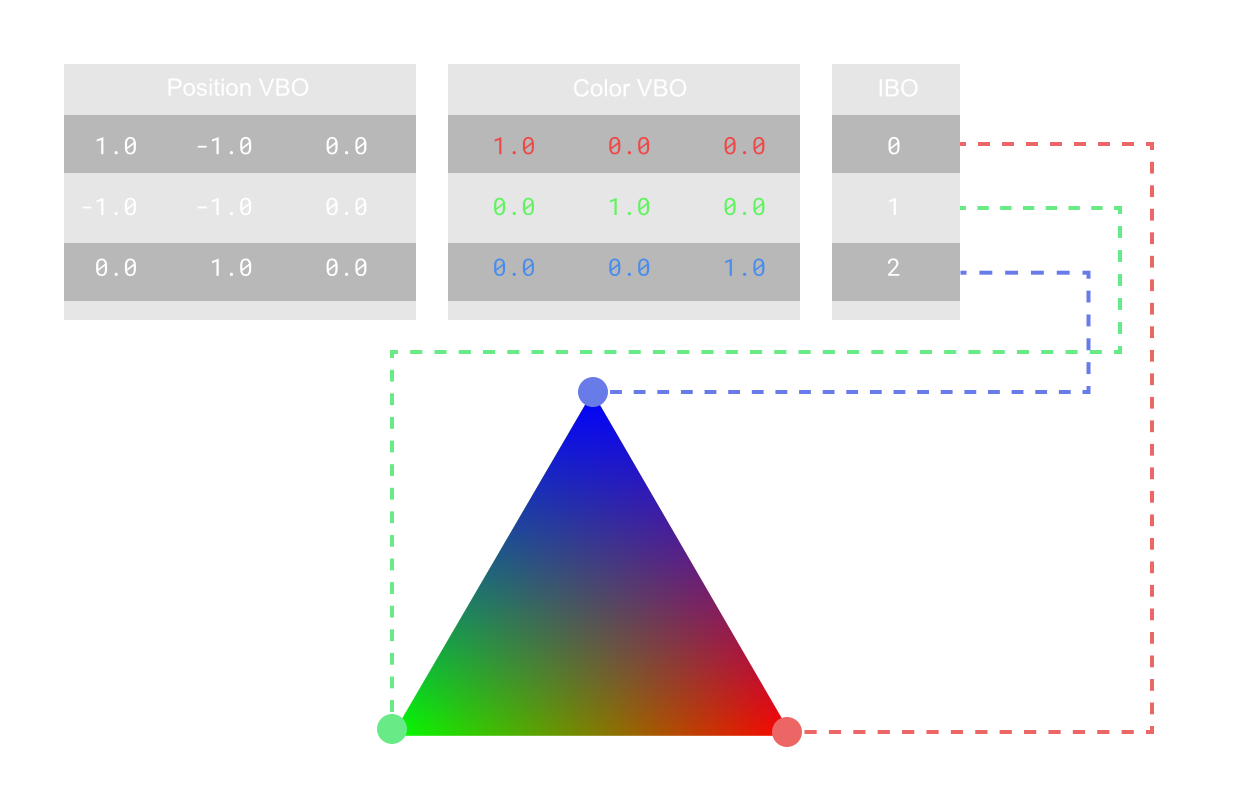
An Index Buffer contains the individual indices of each triangle/line/point that you intend to draw.
// 💾 Declare Datauint32_t indexBufferData[3] = {0, 1, 2};
// 👋 declare handles
ID3D11Buffer* indexBuffer;
// Set up the description of the static index buffer.
D3D11_BUFFER_DESC indexBufferDesc;
indexBufferDesc.Usage = D3D11_USAGE_DEFAULT;
indexBufferDesc.ByteWidth = sizeof(unsigned) * 3;
indexBufferDesc.BindFlags = D3D11_BIND_INDEX_BUFFER;
indexBufferDesc.CPUAccessFlags = 0;
indexBufferDesc.MiscFlags = 0;
indexBufferDesc.StructureByteStride = 0;
// Give the subresource structure a pointer to the index data.
D3D11_SUBRESOURCE_DATA indexData;
indexData.pSysMem = indexBufferData;
indexData.SysMemPitch = 0;
indexData.SysMemSlicePitch = 0;
// Create the index buffer.ThrowIfFailed(device->CreateBuffer(&indexBufferDesc, &indexData,
&mIndexBuffer));
Constant Buffer
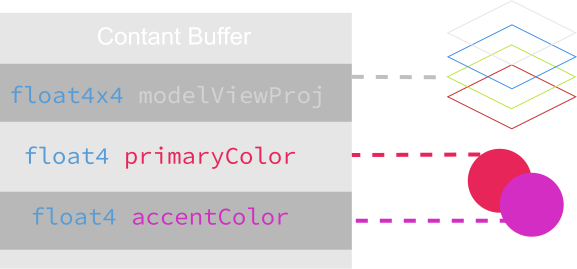
A Constant Buffer describes data that we'll be sending to shader stages when drawing. Normally you would put Model View Projection Matrices or any specific variable data like colors, sliders, etc. here.
// 💾 Declare Datastruct
{
glm::mat4 projectionMatrix;
glm::mat4 modelMatrix;
glm::mat4 viewMatrix;
} cbVS;
// 👋 declare handles
ID3D11Buffer* constantBuffer;
// Setup the description of the dynamic matrix constant buffer that is in the// vertex shader.
D3D11_BUFFER_DESC constantBufferDesc;
uniformBufferDesc.Usage = D3D11_USAGE_DYNAMIC;
uniformBufferDesc.ByteWidth = sizeof(cboVS);
uniformBufferDesc.BindFlags = D3D11_BIND_CONSTANT_BUFFER;
uniformBufferDesc.CPUAccessFlags = D3D11_CPU_ACCESS_WRITE;
uniformBufferDesc.MiscFlags = 0;
uniformBufferDesc.StructureByteStride = 0;
// Create the constant buffer pointer so we can access the vertex shader// constant buffer from within this class.ThrowIfFailed(mDevice->CreateBuffer(&constantBufferDesc, NULL,
&constantBuffer));
Vertex Shader
Vertex Shaders execute per vertex, and are perfect for transforming a given object, performing per vertex animations with blend shapes, GPU skinning, etc.
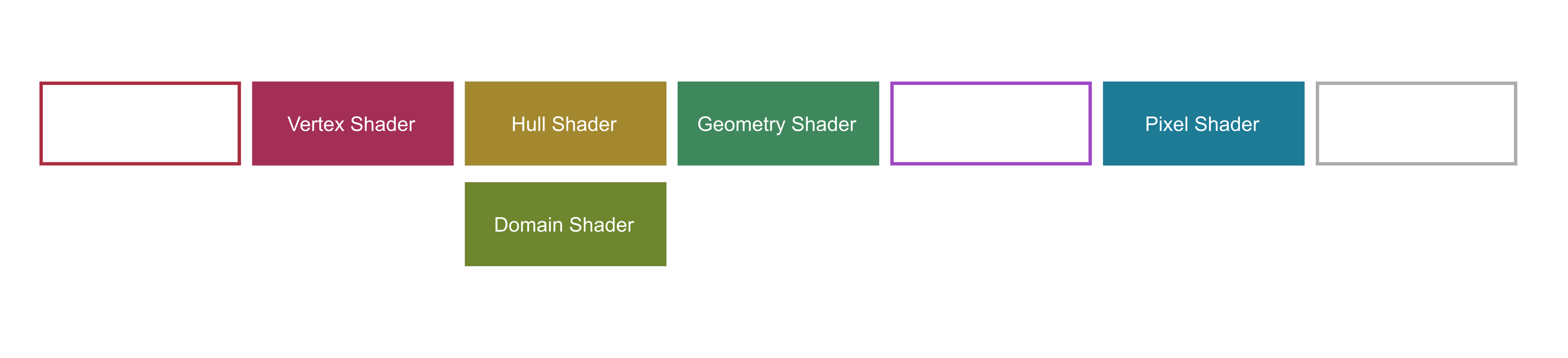
The Pipeline State describes everything necessary to execute a given raster based draw call. DirectX 11 separates each of these individual states into easy to setup up sub-states.
// 👋 Declare handles
ID3D11InputLayout* mLayout;
ID3D11DepthStencilState* depthStencilState;
ID3D11RasterizerState* rasterState;
// ⚗️ Define the Graphics Pipeline// 🔣 Input Assembly
D3D11_INPUT_ELEMENT_DESC polygonLayout[2];
polygonLayout[0].SemanticName = "POSITION";
polygonLayout[0].SemanticIndex = 0;
polygonLayout[0].Format = DXGI_FORMAT_R32G32B32_FLOAT;
polygonLayout[0].InputSlot = 0;
polygonLayout[0].AlignedByteOffset = 0;
polygonLayout[0].InputSlotClass = D3D11_INPUT_PER_VERTEX_DATA;
polygonLayout[0].InstanceDataStepRate = 0;
polygonLayout[1].SemanticName = "COLOR";
polygonLayout[1].SemanticIndex = 0;
polygonLayout[1].Format = DXGI_FORMAT_R32G32B32_FLOAT;
polygonLayout[1].InputSlot = 0;
polygonLayout[1].AlignedByteOffset = D3D11_APPEND_ALIGNED_ELEMENT;
polygonLayout[1].InputSlotClass = D3D11_INPUT_PER_VERTEX_DATA;
polygonLayout[1].InstanceDataStepRate = 0;
// Get a count of the elements in the layout.unsigned numElements = sizeof(polygonLayout) / sizeof(polygonLayout[0]);
// Create the vertex input layout.ThrowIfFailed(device->CreateInputLayout(polygonLayout, numElements,
vertexShaderBlob->GetBufferPointer(),
vertexShaderBlob->GetBufferSize(),
&layout));
// 🌑 Depth/Stencil
D3D11_DEPTH_STENCIL_DESC depthStencilDesc;
ZeroMemory(&depthStencilDesc, sizeof(depthStencilDesc));
depthStencilDesc.DepthEnable = true;
depthStencilDesc.DepthWriteMask = D3D11_DEPTH_WRITE_MASK_ALL;
depthStencilDesc.DepthFunc = D3D11_COMPARISON_LESS;
depthStencilDesc.StencilEnable = true;
depthStencilDesc.StencilReadMask = 0xFF;
depthStencilDesc.StencilWriteMask = 0xFF;
// Stencil operations if pixel is front-facing.
depthStencilDesc.FrontFace.StencilFailOp = D3D11_STENCIL_OP_KEEP;
depthStencilDesc.FrontFace.StencilDepthFailOp = D3D11_STENCIL_OP_INCR;
depthStencilDesc.FrontFace.StencilPassOp = D3D11_STENCIL_OP_KEEP;
depthStencilDesc.FrontFace.StencilFunc = D3D11_COMPARISON_ALWAYS;
// Stencil operations if pixel is back-facing.
depthStencilDesc.BackFace.StencilFailOp = D3D11_STENCIL_OP_KEEP;
depthStencilDesc.BackFace.StencilDepthFailOp = D3D11_STENCIL_OP_DECR;
depthStencilDesc.BackFace.StencilPassOp = D3D11_STENCIL_OP_KEEP;
depthStencilDesc.BackFace.StencilFunc = D3D11_COMPARISON_ALWAYS;
// Create the depth stencil state.ThrowIfFailed(device->CreateDepthStencilState(&depthStencilDesc,
&depthStencilState));
// Set the depth stencil state.
deviceContext->OMSetDepthStencilState(depthStencilState, 1);
// 🟨 Rasterization
D3D11_RASTERIZER_DESC rasterDesc;
rasterDesc.AntialiasedLineEnable = false;
rasterDesc.CullMode = D3D11_CULL_NONE;
rasterDesc.DepthBias = 0;
rasterDesc.DepthBiasClamp = 0.0f;
rasterDesc.DepthClipEnable = true;
rasterDesc.FillMode = D3D11_FILL_SOLID;
rasterDesc.FrontCounterClockwise = false;
rasterDesc.MultisampleEnable = false;
rasterDesc.ScissorEnable = false;
rasterDesc.SlopeScaledDepthBias = 0.0f;
// Create the rasterizer state from the description we just filled out.ThrowIfFailed(device->CreateRasterizerState(&rasterDesc, &rasterState));
// Now set the rasterizer state.
deviceContext->RSSetState(rasterState);
Draw Calls
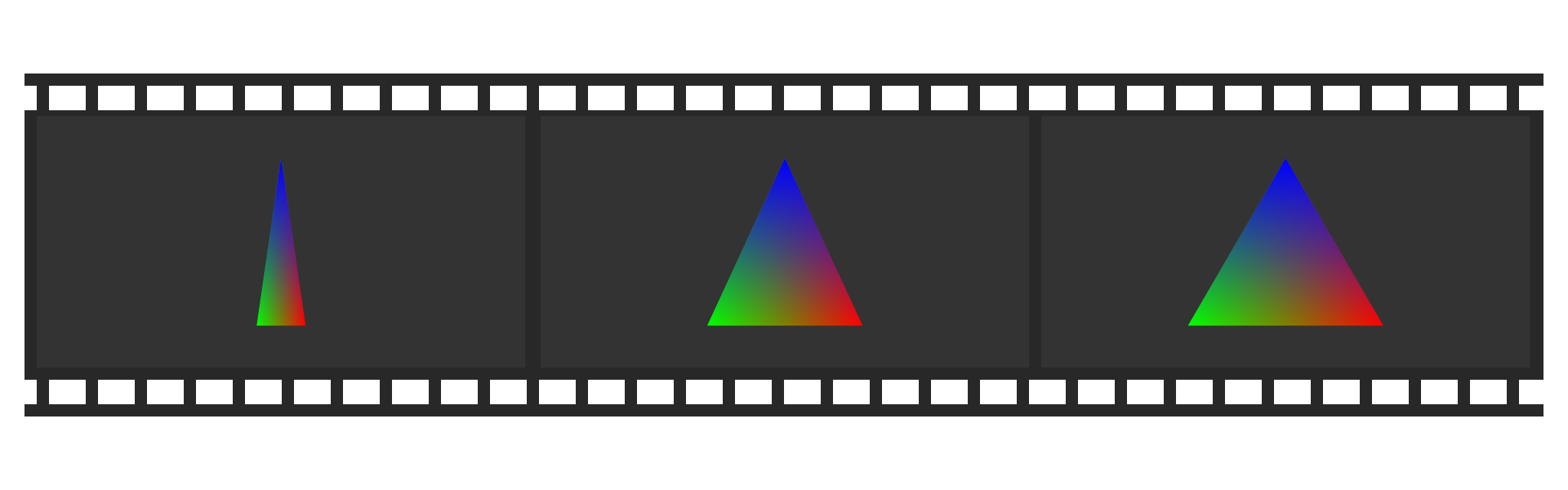
DirectX 11 has a more direct approach to rendering, where you tell the device context exactly what you want to do and it handles queuing up those commands to be executed.
voidrender(){
// Framelimit set to 60 fps
tEnd = std::chrono::high_resolution_clock::now();
float time =
std::chrono::duration<float, std::milli>(tEnd - tStart).count();
if (time < (1000.0f / 60.0f))
{
return;
}
tStart = std::chrono::high_resolution_clock::now();
// Update Uniforms
elapsedTime += 0.001f * time;
elapsedTime = fmodf(elapsedTime, 6.283185307179586f);
cbVS.modelMatrix = Matrix4::rotationY(mElapsedTime);
// Set the position of the constant buffer in the vertex shader.unsignedint bufferNumber = 0;
// Lock the constant buffer so it can be written to.
D3D11_MAPPED_SUBRESOURCE mappedResource;
ThrowIfFailed(deviceContext->Map(constantBuffer, 0, D3D11_MAP_WRITE_DISCARD,
0, &mappedResource));
// Get a pointer to the data in the constant buffer.memcpy(mappedResource.pData, &cbVS, sizeof(cbVS));
// Unlock the constant buffer.
deviceContext->Unmap(constantBuffer, 0);
// Finally set the constant buffer in the vertex shader with the updated// values.
deviceContext->VSSetConstantBuffers(bufferNumber, 1, &constantBuffer);
// Bind the render target view and depth stencil buffer to the output render// pipeline.
deviceContext->OMSetRenderTargets(1, &renderTargetView, depthStencilView);
deviceContext->RSSetViewports(1, &viewport);
// Clear texturesfloat color[4] = {0.2f, 0.2f, 0.2f, 1.0f};
deviceContext->ClearRenderTargetView(renderTargetView, color);
// Clear the depth buffer.
deviceContext->ClearDepthStencilView(depthStencilView, D3D11_CLEAR_DEPTH,
1.0f, 0);
// Set the vertex input layout.
deviceContext->IASetInputLayout(inputLayout);
// Set the vertex and pixel shaders that will be used to render this// triangle.
deviceContext->VSSetShader(vertexShader, NULL, 0);
deviceContext->PSSetShader(pixelShader, NULL, 0);
// Set the vertex buffer to active in the input assembler so it can be// rendered.unsigned stride = sizeof(Vertex);
unsigned offset = 0;
deviceContext->IASetVertexBuffers(0, 1, &vertexBuffer, &stride, &offset);
// Set the index buffer to active in the input assembler so it can be// rendered.
deviceContext->IASetIndexBuffer(indexBuffer, DXGI_FORMAT_R32_UINT, 0);
// Set the type of primitive that should be rendered from this vertex// buffer, in this case triangles.
deviceContext->IASetPrimitiveTopology(
D3D11_PRIMITIVE_TOPOLOGY_TRIANGLELIST);
// Render the triangle.
deviceContext->DrawIndexed(3, 0, 0);
if (vsync)
{
swapchain->Present(1, 0);
}
else
{
swapchain->Present(0, 0);
}
}
Conclusion
DirectX 11 is a much easier to use graphics API than other modern APIs like DirecX 12, Vulkan, Metal, or WebGPU. That ease of use comes at the cost of some performance, but it's a great start to learning how to engineer graphics applications.
 Alain Galvan ·Oct 22, 2021 · Updated 4 weeks ago