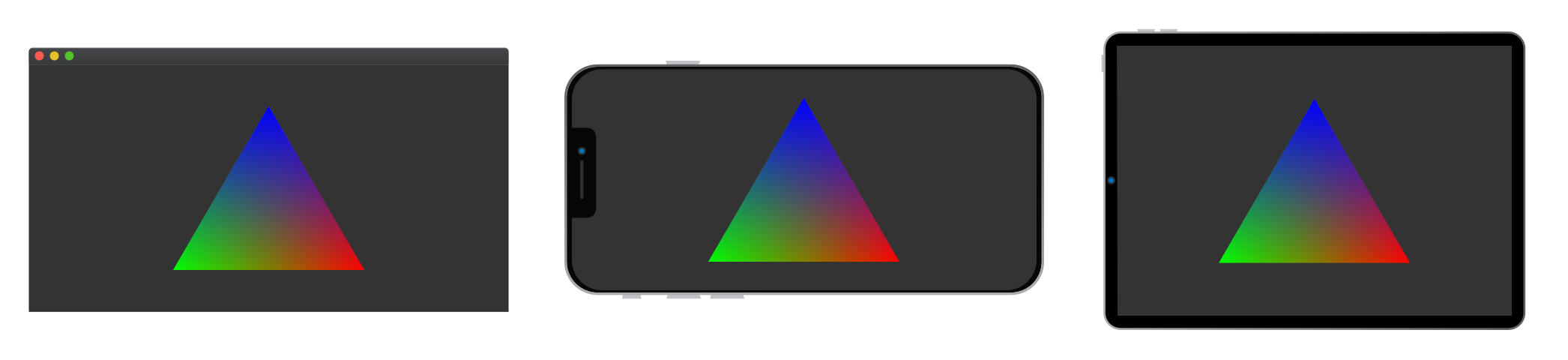
An overview on how to program a Hello Triangle Vulkan application from the ground up. Learn the core data structures and modern GPU execution model needed to render raster based graphics.
Vulkan is a new low level Graphics API released February 2016 by the Khronos Group that maps directly to the design of modern GPUs.
Vulkan is used by Game Developers, Rendering Engineers and Scientists looking to do real-time rendering, raytracing, data visualization, GPGPU computations, machine learning, physics simulations, etc.
Graphic Processing Units (GPUs) were originally simple Application Specific Integrated Circuits (ASICs), but since then they have become programmable computational units of their own with a focus on throughput over latency[Fatahalian 2018]. Older APIs like OpenGL or DirectX 9 and below were designed for hardware that's drastically changed since the early 90s when they were first released, so Vulkan was designed from scratch to match the way GPUs are engineered today.
Currently Vulkan 1.x supports the following platforms:
🖼️ Windows
🐧 Linux
🤖 Android
With Apple MacOS, iOS, and iPad OS supporting Vulkan through MoltenVK, a Vulkan-Metal compatibility layer that's licensed as Apache 2.0.
🍎 Mac OS
📱 iOS / iPad OS
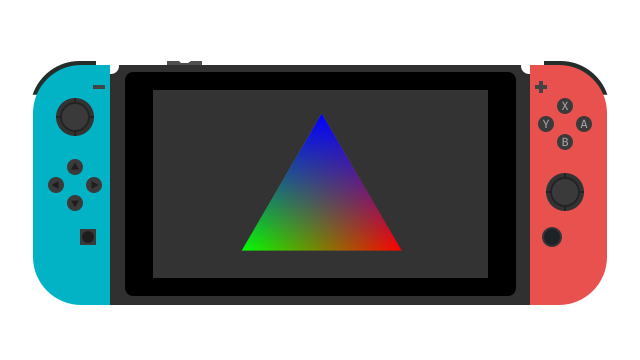
In addition to other surprising platforms such as TVs, game consoles, etc.
C++ - Through Vulkan-Hpp the official Vulkan C++ library.
Rust - Through Vulkano, an intuitive Rust wrapper with a heavy focus on compile time safety.
JavaScript - Through Node Vulkan, node.js bindings for native web applications.
Python - Through pyVulkan, a Python FFI to the C implementation of Vulkan.
I've prepared a Github Repo with everything we need to get started. We're going to walk through a Hello Triangle app in modern C++ 17, a program that creates a triangle, processes it with a shader, and displays it on a window.
# 🐑 Clone the repo
git clone https://github.com/alaingalvan/vulkan-seed --recurse-submodules
# 💿 go inside the foldercd vulkan-seed
# 👯 If you forget to `recurse-submodules` you can always run:
git submodule update --init
# 🖼️ To build your Visual Studio solution on Windows x64
cmake -B build -A x64
# 🍎 To build your XCode project on Mac OS / iOS
cmake -B build -G Xcode
# 🐧 To build your .make file on Linux
cmake -B build
# 🔨 Build on any platform:
cmake --build build
As your project becomes more complex, you'll want to separate files and organize your application to something more akin to a game or renderer, check out this post on game engine architecture and this one on real time renderer architecture for more details.
CrossWindow - A cross platform system abstraction library written in C++ for managing windows and performing OS tasks.
CrossWindow-Graphics - A library to simplify creating an Vulkan Surface with CrossWindow.
Vulkan SDK - The official Vulkan SDK distributed by LunarG. This should be installed separately.
GLM - A C++ library that allows users to write glsl like C++ code, with types for vectors, matrices, etc.
We'll be writing our application using Vulkan's C++ API through vulkan.hpp, a type safe abstraction of vulkan.h.
Overview
In this application we will need to do the following:
Initialize the API - Create a Vulkan Instance to access inner functions of the Vulkan API. Pick the best Physical Device from every device that supports Vulkan on your machine. Create a Logical Device , Surface, Queue, Command Pool, Semaphores, Fences.
Create Commands - Describe everything that'll be rendered on the current frame in your command buffers.
Initialize Resources - Create a Descriptor Pool, Descriptor Set Layout, Pipeline Layout, Vertex Buffer/Index Buffer and send it to GPU Accessible Memory, describe our Input Attributes, create a Uniform Buffer, Render Pass, Frame Buffers, Shader Modules, and Pipeline State.
Setup Commands for each command buffer to set the GPU state to render the triangles.
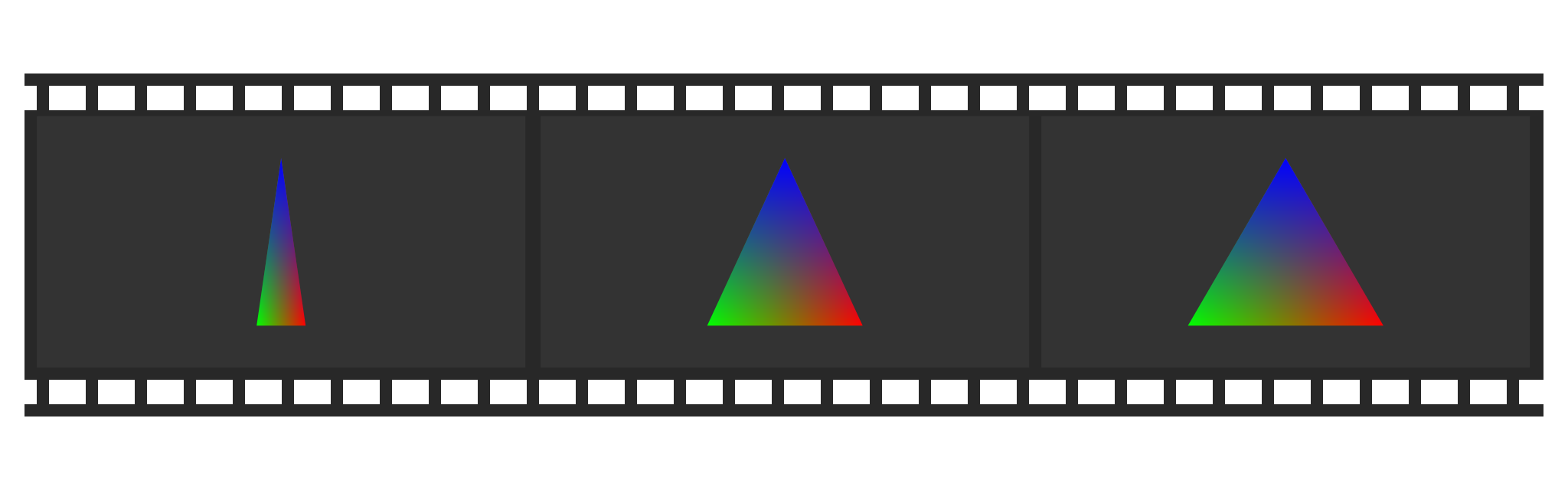
Render - Use an Update Loop to switch between different frames in your swapchain as well as to poll input devices/window events.
Destroy any data structures once the application is asked to close.
The following will explain snippets that can be found in the Github repo, with certain parts omitted, and member variables (mMemberVariable) declared inline without the m prefix so their type is easier to see and the examples here can work on their own.
Window Creation
We're using CrossWindow to handle cross platform window creation, so creating a window and updating it is very easy:
As an alternative to CrossWindow, you could use another library like GLFW, SFML, SDL, QT, or just interface directly with your OS windowing API.
Initialize API
Instances
Similar to the OpenGL context, a Vulkan application begins when you create an instance. This instance must be loaded with some information about the program such as its name, engine, and minimum Vulkan version, as well any extensions and layers you want to load.
voidfindBestExtensions(const std::vector<vk::ExtensionProperties>& installed,
const std::vector<constchar*>& wanted,
std::vector<constchar*>& out){
for (constchar* const& w : wanted)
{
for (vk::ExtensionProperties const& i : installed)
{
if (std::string(i.extensionName).compare(w) == 0)
{
out.emplace_back(w);
break;
}
}
}
}
voidfindBestLayers(const std::vector<vk::LayerProperties>& installed,
const std::vector<constchar*>& wanted,
std::vector<constchar*>& out){
for (constchar* const& w : wanted)
{
for (vk::LayerProperties const& i : installed)
{
if (std::string(i.layerName).compare(w) == 0)
{
out.emplace_back(w);
break;
}
}
}
}
uint32_tgetQueueIndex(vk::PhysicalDevice& physicalDevice,
vk::QueueFlagBits flags){
std::vector<vk::QueueFamilyProperties> queueProps =
physicalDevice.getQueueFamilyProperties();
for (size_t i = 0; i < queueProps.size(); ++i)
{
if (queueProps[i].queueFlags & flags)
{
returnstatic_cast<uint32_t>(i);
}
}
// Default queue indexreturn0;
}
uint32_tgetMemoryTypeIndex(vk::PhysicalDevice& physicalDevice,
uint32_t typeBits,
vk::MemoryPropertyFlags properties){
auto gpuMemoryProps = physicalDevice.getMemoryProperties();
for (uint32_t i = 0; i < gpuMemoryProps.memoryTypeCount; i++)
{
if ((typeBits & 1) == 1)
{
if ((gpuMemoryProps.memoryTypes[i].propertyFlags & properties) ==
properties)
{
return i;
}
}
typeBits >>= 1;
}
return0;
};
Extension - Anything that adds extra functionality to Vulkan, such as support for Win32 windows, or enabling drawing onto a target.
Layer - Middleware between existing Vulkan functionality, such as checking for errors. Layers can range from runtime debugging checks like LunarG's Standard Validation tools to hooks to the Steam renderer so your game can behave better when you Ctrl + Shift to switch to the Steam overlay.
You'll want to begin by determining which extensions/layers you want, and compare that with which are available to you by Vulkan.
In Vulkan, you have access to all enumerable devices that support it, and can query for information like their name, the number of heaps they support, their manufacturer, etc.
This is useful for choosing the fastest device to use, however you could use the KHX_device_group extension presented at GDC 2017 to help with multi-gpu processing.
Logical Devices
You can then create a logical device from a physical device handle. A logical device can be loaded with its own extensions/layers, can be set to work with graphics, GPGPU computations, handle sparse memory and/or memory transfers by creating queues for that device.
A logical device is your interface to the GPU, and allows you to allocate data and queue up tasks.
Once you have a virtual device, you can access the queues you requested when you created it:
// 👋 Declare handles
vk::Queue queue;
// 📦 We only allocated one queue earlier,//so there's only one available on index 0.
queue = device.getQueue(queueFamilyIndex, 0);
If your application is idle for too long, the Vulkan API will throw a vk::OutOfDateKHRError error, requiring you to re-initialize your graphics API.
Command Pool
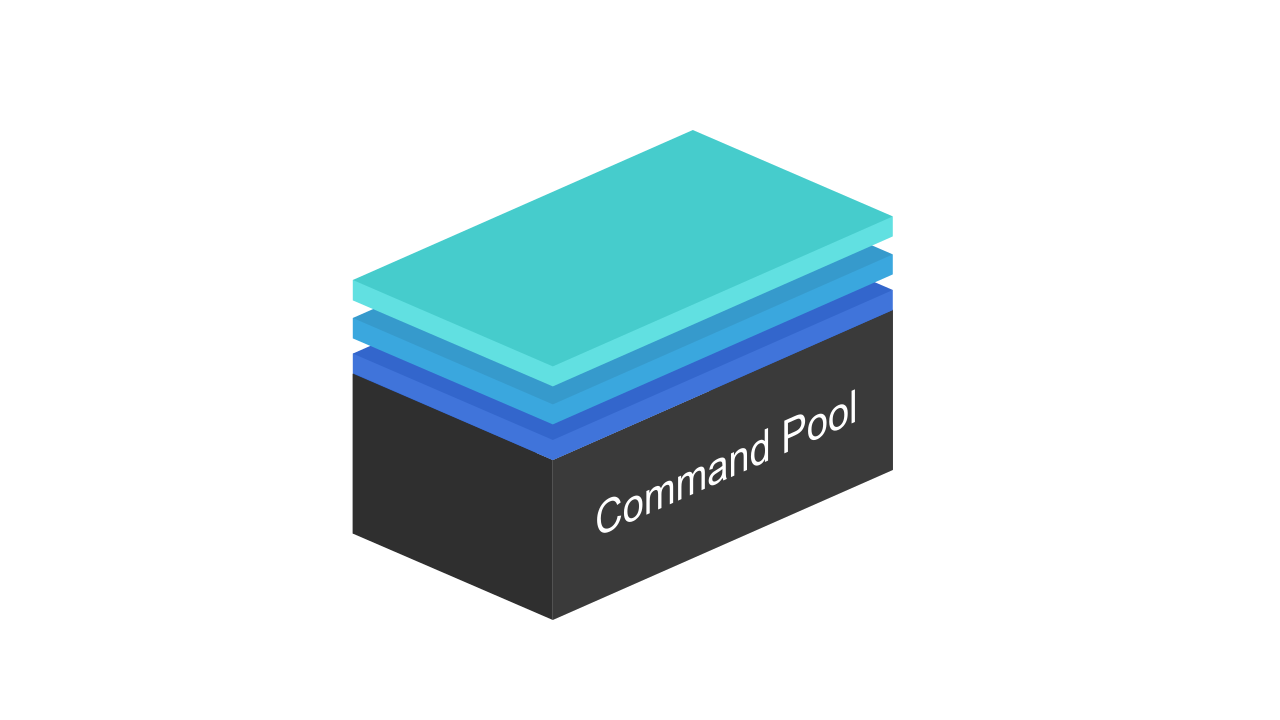
A command pool is a means of allocating command buffers. Any number of command buffers can be made from command pools, with you as the developer responsible for managing when and how they're created and what is loaded in each.
A command pool cannot be used in multiple threads, but you can create one for each thread and manage them on a per thread level.
// 👋 Declare handles
vk::CommandPool commandPool;
// 🏊 Create a command pool
vk::CommandPoolCreateInfo commandPoolInfo = vk::CommandPoolCreateInfo(
vk::CommandPoolCreateFlags(vk::CommandPoolCreateFlagBits::eResetCommandBuffer),
queueFamilyIndex
);
commandPool = device.createCommandPool(commandPoolInfo);
// Later, once your ⛓️ vk::Swapchain has been created// Lets allocate 1 command buffer for each swapchain image.
std::vector<vk::CommandBuffer> commandBuffers = device.allocateCommandBuffers(
vk::CommandBufferAllocateInfo(
commandPool,
vk::CommandBufferLevel::ePrimary,
swapchainBuffers.size()
)
);
Descriptor Pool
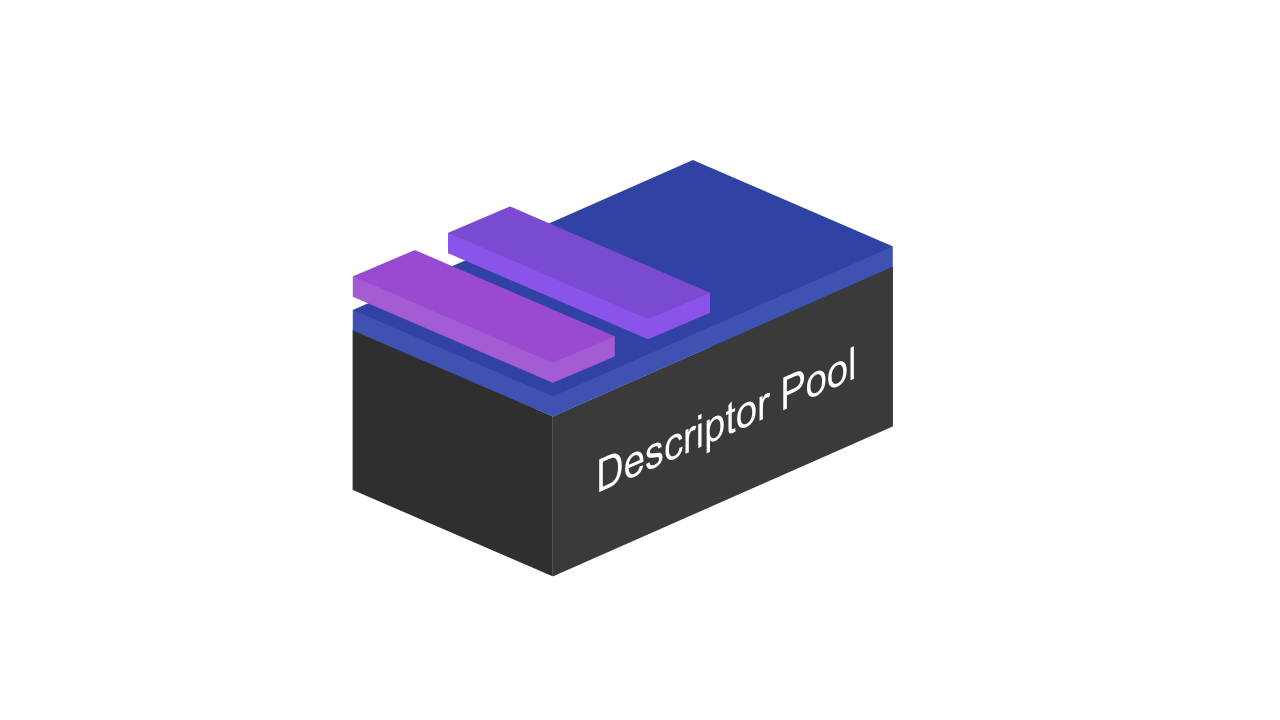
A descriptor pool is a means of allocating Descriptor Sets, a set of data structures containing implementation-specific descriptions of resources. to make a descriptor pool, you need to describe exactly how many of each type of descriptor you need to allocate.
To do that you need to provide a collection of the size of each descriptor type.
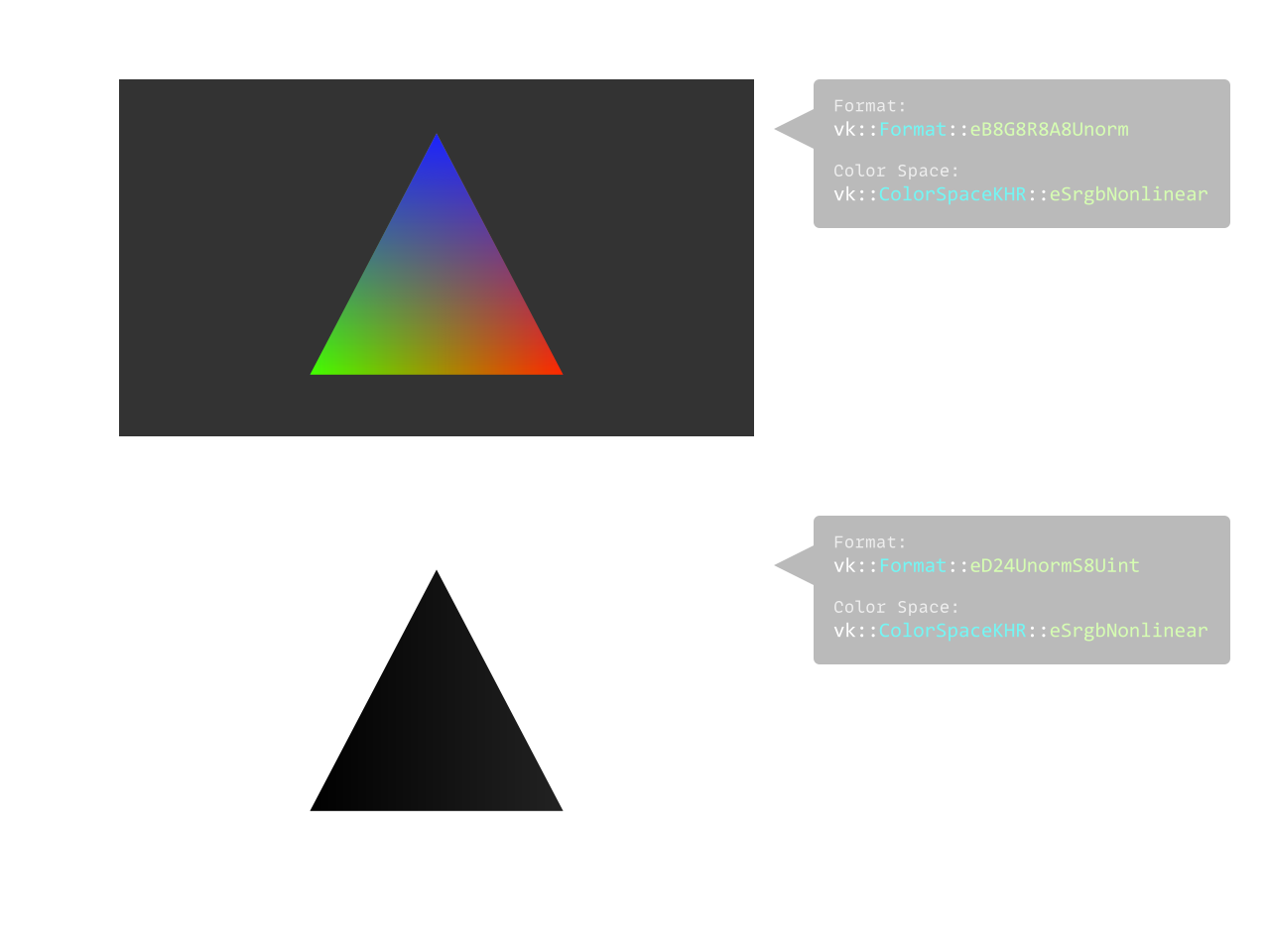
Knowing what Color formats your GPU supports will play a crucial role in determining what you can display and what kind of buffers you can allocate.
// 👋 Declare handles
vk::SurfaceFormatKHR surfaceColorFormat;
vk::ColorSpaceKHR surfaceColorSpace;
vk::Format surfaceDepthFormat;
// 🔴🟢🔵 Check to see if we can display rgb colors.
std::vector<vk::SurfaceFormatKHR> surfaceFormats = physicalDevice.getSurfaceFormatsKHR(surface);
if (surfaceFormats.size() == 1 && surfaceFormats[0].format == vk::Format::eUndefined)
surfaceColorFormat = vk::Format::eB8G8R8A8Unorm;
else
surfaceColorFormat = surfaceFormats[0].format;
surfaceColorSpace = surfaceFormats[0].colorSpace;
// Since all depth formats may be optional, we need to find a suitable depth format to use// Start with the highest precision packed format
std::vector<vk::Format> depthFormats =
{
vk::Format::eD32SfloatS8Uint,
vk::Format::eD32Sfloat,
vk::Format::eD24UnormS8Uint,
vk::Format::eD16UnormS8Uint,
vk::Format::eD16Unorm
};
for (vk::Format& format : depthFormats)
{
vk::FormatProperties depthFormatProperties = physicalDevice.getFormatProperties(format);
// Format must support depth stencil attachment for optimal tilingif (depthFormatProperties.optimalTilingFeatures & vk::FormatFeatureFlagBits::eDepthStencilAttachment)
{
surfaceDepthFormat = format;
break;
}
}
Swapchain
A Swapchain is a structure that manages the allocation of frame buffers to be cycled through by your application. It's here that your application sets up V-Sync via double buffering or triple buffering.
One approach to setting this up is to take in a JSON file at the start of your application, say config.json, which determines if you'll be using V-Sync, your screen resolution, any any other global data you want to configure.
// 👋 Declare handles
vk::Rect2D renderArea;
vk::Extent2D surfaceSize;
vk::Viewport viewport;
vk::SwapchainKHR swapchain;
voidsetupSwapchain(unsigned width, unsigned height){
// Setup viewports, vsync
vk::Extent2D swapchainSize = vk::Extent2D(width, height);
// All framebuffers / attachments will be the same size as the surface
vk::SurfaceCapabilitiesKHR surfaceCapabilities = physicalDevice.getSurfaceCapabilitiesKHR(surface);
if (!(surfaceCapabilities.currentExtent.width == -1 || surfaceCapabilities.currentExtent.height == -1)) {
swapchainSize = surfaceCapabilities.currentExtent;
renderArea = vk::Rect2D(vk::Offset2D(), swapchainSize);
viewport = vk::Viewport(0.0f, 0.0f, static_cast<float>(swapchainSize.width), static_cast<float>(swapchainSize.height), 0, 1.0f);
}
// VSync
std::vector<vk::PresentModeKHR> surfacePresentModes = physicalDevice.getSurfacePresentModesKHR(surface);
vk::PresentModeKHR presentMode = vk::PresentModeKHR::eImmediate;
for (vk::PresentModeKHR& pm : surfacePresentModes) {
if (pm == vk::PresentModeKHR::eMailbox) {
presentMode = vk::PresentModeKHR::eMailbox;
break;
}
}
// ⛓️ Create Swapchain, Images, Frame Buffers
device.waitIdle();
vk::SwapchainKHR oldSwapchain = swapchain;
// Some devices can support more than 2 buffers,// but during my tests they would crash on fullscreen// Tested on an NVIDIA 1080 and 165 Hz 2K display ~ @alainxyzuint32_t backbufferCount = std::clamp(surfaceCapabilities.maxImageCount, 1U, 2U);
swapchain = device.createSwapchainKHR(
vk::SwapchainCreateInfoKHR(
vk::SwapchainCreateFlagsKHR(),
surface,
backbufferCount,
surfaceColorFormat,
surfaceColorSpace,
swapchainSize,
1,
vk::ImageUsageFlagBits::eColorAttachment,
vk::SharingMode::eExclusive,
1,
&queueFamilyIndex,
vk::SurfaceTransformFlagBitsKHR::eIdentity,
vk::CompositeAlphaFlagBitsKHR::eOpaque,
presentMode,
VK_TRUE,
oldSwapchain
)
);
surfaceSize = vk::Extent2D(std::clamp(swapchainSize.width, 1U, 8192U), std::clamp(swapchainSize.height, 1U, 8192U));
renderArea = vk::Rect2D(vk::Offset2D(), surfaceSize);
viewport = vk::Viewport(0.0f, 0.0f, static_cast<float>(surfaceSize.width), static_cast<float>(surfaceSize.height), 0, 1.0f);
// Destroy previous swapchainif (oldSwapchain != vk::SwapchainKHR(nullptr))
{
device.destroySwapchainKHR(oldSwapchain);
}
// Resize swapchain buffers for use later
swapchainBuffers.resize(backbufferCount);
}
View Structures
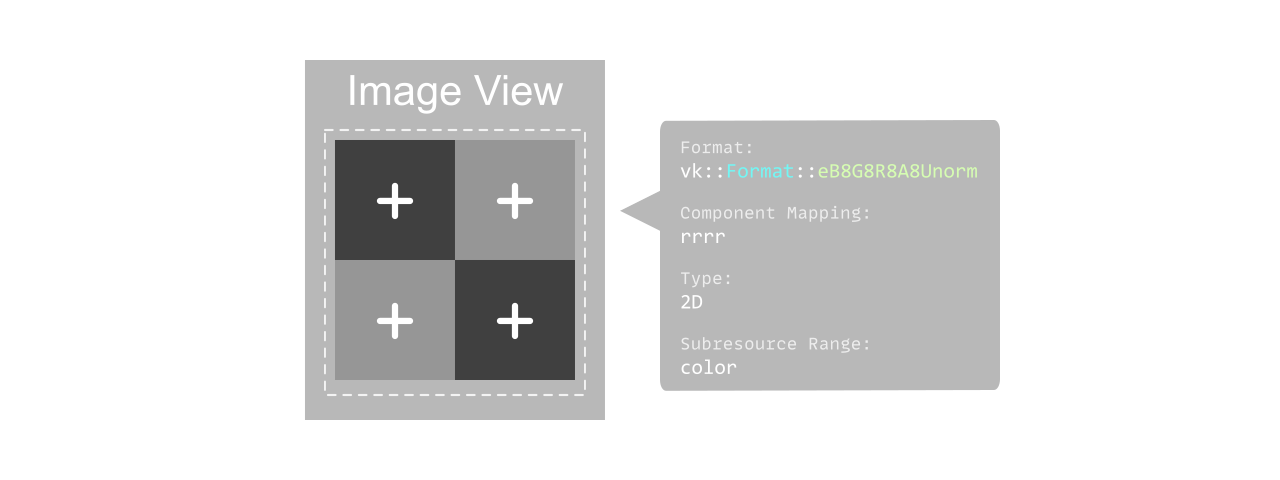
A View in Vulkan is a handle to a particular resource on a GPU, such as an Image or a Buffer, and provides information on how that resource should be processed.
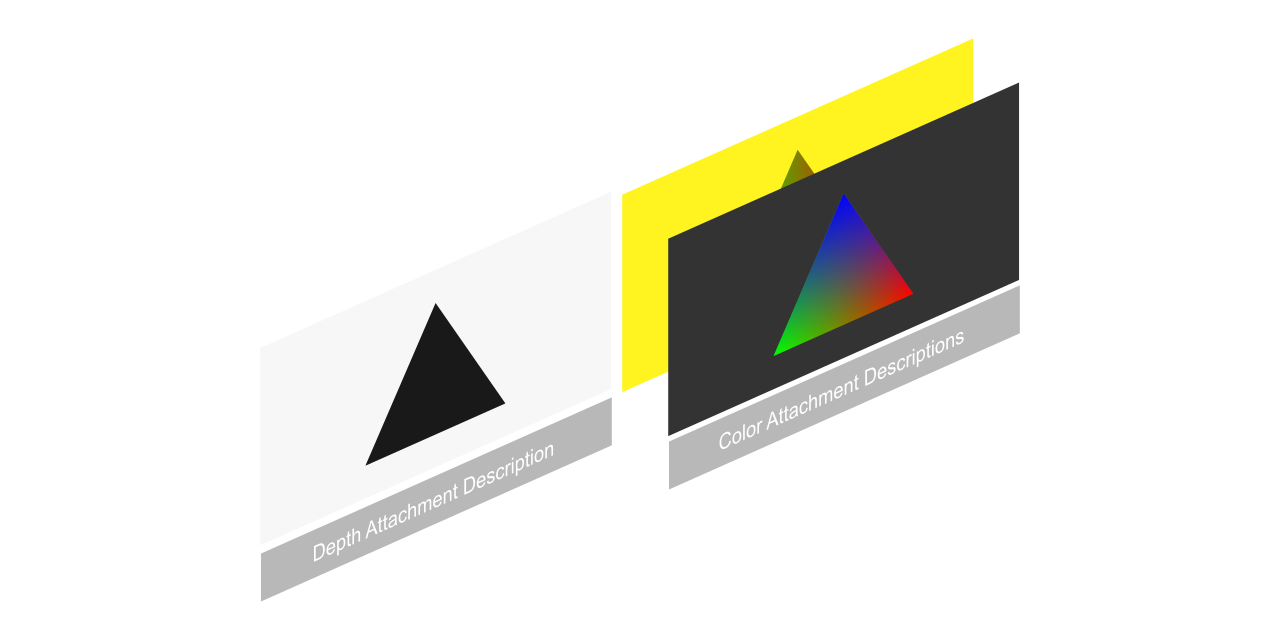
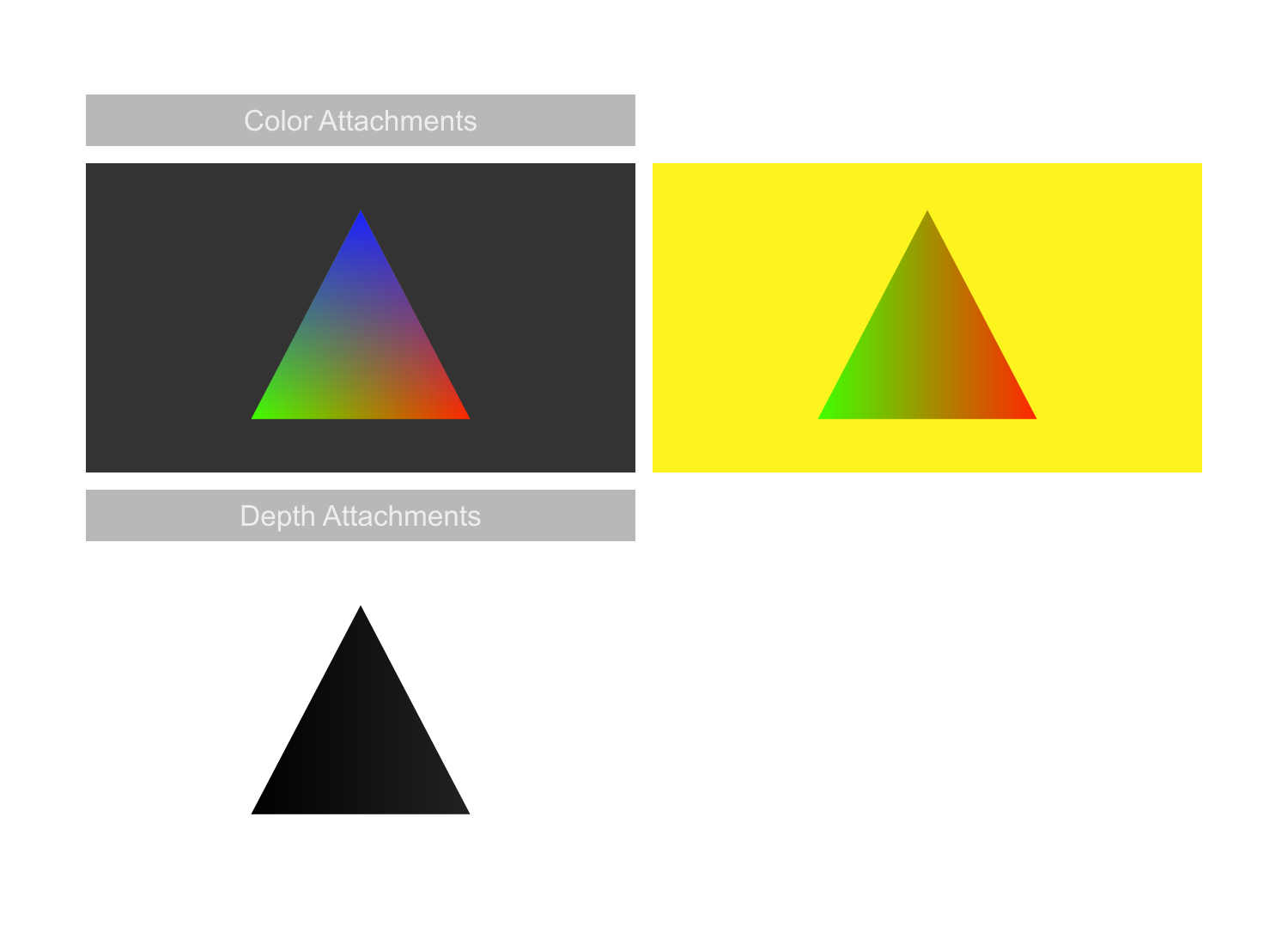
A render pass describes the attachments that are expected to be used when executing a graphics pipeline and their relationship with each other. This can be useful in tile based rendering for having information in advance to better optimize cache flushes.
You could say Pipeline Barriers are the most powerful part of the Vulkan API, since it allows for granular control over preventing data races. ~ Charles Giessen (@charlesgiessen)
Vulkan was designed with concurrency in mind, and features 3 primitives for this, Semaphores, Fences, and programmable Barriers.
Semaphores coordinate operations within the GPU by introducing dependencies between operations.
// 🎌 Semaphore used to ensures that image presentation is complete before starting to submit again
vk::Semaphore presentCompleteSemaphore = device.createSemaphore(vk::SemaphoreCreateInfo());

// 🎌 Semaphore used to ensures that all commands submitted have been finished before submitting the image to the queue
vk::Semaphore renderCompleteSemaphore = device.createSemaphore(vk::SemaphoreCreateInfo());
Fences are objects used to synchronize the CPU and GPU, allowing the CPU to be alerted when events have finished such as loading resources.
// 🚧 Fence for command buffer completion
std::vector<vk::Fence> waitFences;
waitFences.resize(swapchainBuffers.size());
for (int i = 0; i < waitFences.size(); i++)
{
  waitFences[i] = device.createFence(vk::FenceCreateInfo(vk::FenceCreateFlagBits::eSignaled));
}
Synchronization primitives can be used in a variety of queue operations.
Though there exists 2 primitive objects, there are functions that also help with synchronization as well, such as pipeline barriers which offer granular control over synchronization within command buffers. We're not using any in this example but keep them in mind for your applications!
Initialize Resources
Vertex Buffers
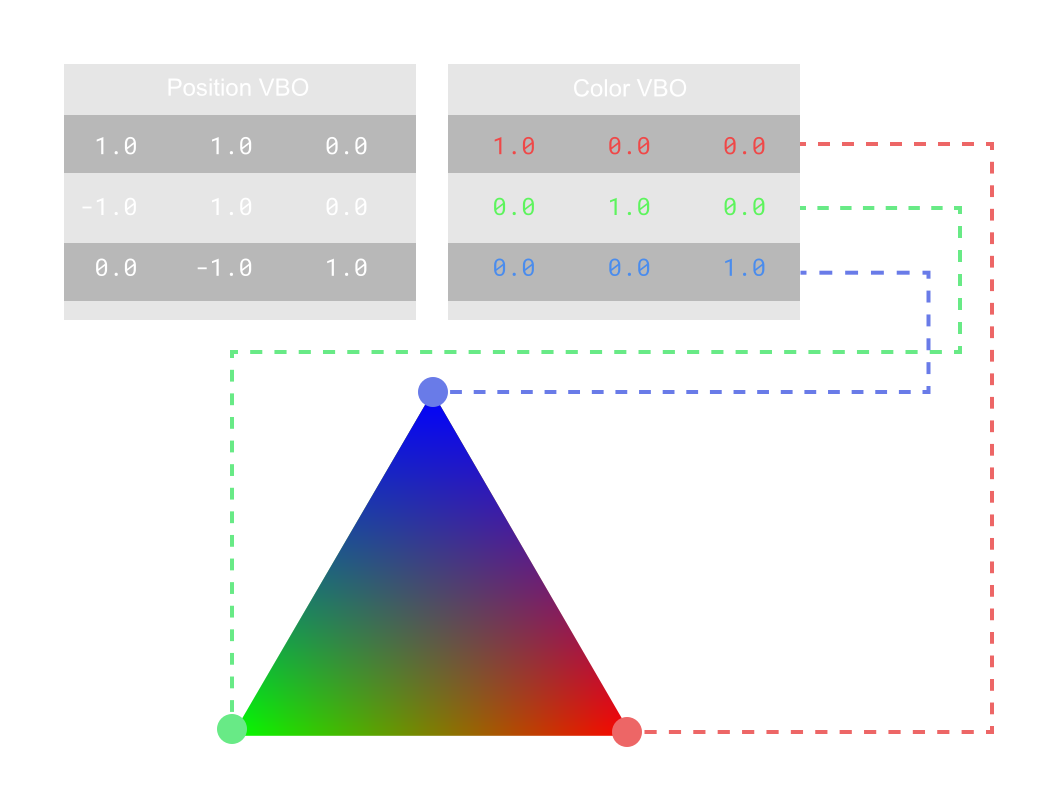
The fundamental problem of graphics is how to manage large sets of data. A vertex buffer is an array of rows of relevant vertex information, such as its position, normal, color, etc. Unlike OpenGL where it would handle allocation and handling memory for you, in Vulkan, you must:
Allocate all the memory related to your buffer.
Map that data to a host visible handle.
Copy that data to your GPU.
Bind your buffer to that block of memory.
For buffers that you want as GPU accessible only, you'll need to also copy that buffer to a GPU exclusive buffer.
Descriptor Sets
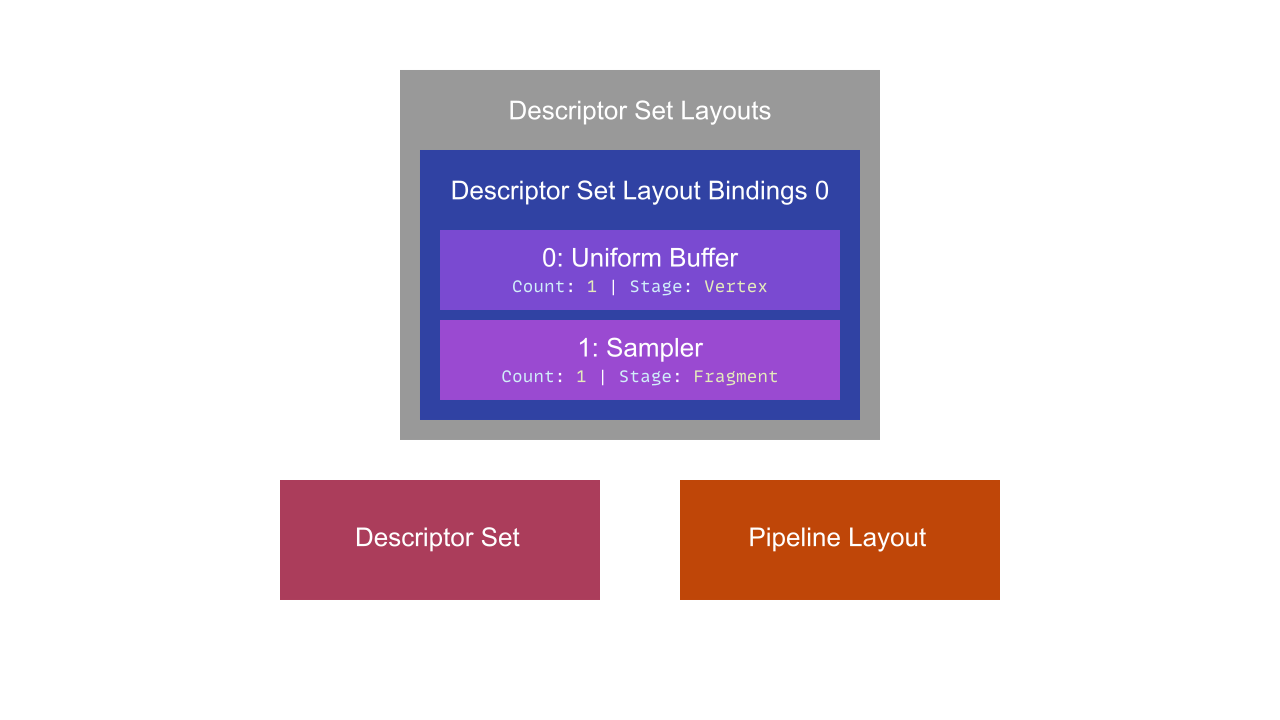
Descriptor Sets describe the resources bound to the binding points in a shader (basically uniforms). They connect the binding points of a shader with the buffers and images used for those bindings.
Descriptor sets are composed of Descriptor Set Layouts, which are then composed of Descriptor Set Bindings, the individual bindings a uniform has. Often these are organized as different resource types.
In Vulkan, Uniforms must be contiguous structs of data that are multiples of 128 bits (So SIMD vector sized blocks).
In Facebook's React Fiber engine there's the idea of a frequently updated view and a not frequently updated view. Unreal Engine 4 shares this with two global uniform families for frequently (called variable parameters) and not frequently (constant parameters) updated uniforms. Descriptor Sets are where you would make this distinction in Vulkan.
Pipeline layouts are a collection of descriptor sets, the bindings to a shader program. In Vulkan in order to bind a shader to a set of data, you needed to describe how the inputs and outputs are organized as inputs.
Access to descriptor sets from a pipeline is accomplished through a pipeline layout. Zero or more descriptor set layouts and zero or more push constant ranges are combined to form a pipeline layout object which describes the complete set of resources that can be accessed by a pipeline.
A pipeline layout represents a sequence of descriptor sets with each having a specific layout. This sequence of layouts is used to determine the interface between shader stages and shader resources.
A Graphics Pipeline is created using a pipeline layout.
Pipelines are basically a mix of hardware and software functions that do a particular task on the GPU, in Vulkan, there's 4 types:
Graphics Pipelines
Compute Pipelines
Ray-Tracing Pipelines
Tensor Pipelines
Graphics Pipeline
Color Blending - The function that controls how two objects draw on top of each other.
Depth Stencil - A extra piece of information that describes depth information.
Vertex Input - The actual vertex data you'll be using in your shader.
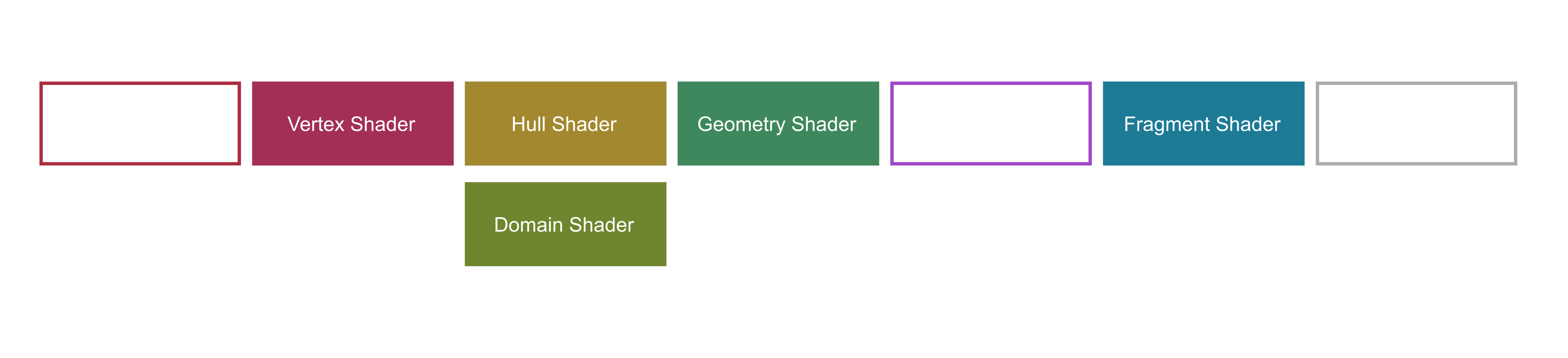
Shaders - What shaders will be loaded in.
And many more. These can even be cached! These particular draw calls are grouped such that in older graphics APIs, they would trigger shader recompilation.
A pipeline cache serves to cache previously created pipelines for reuse later. Since pipelines don't change often, this you can quickly create another for use later.
You're even able to compile the pipeline down into binary, and write the pipeline to a a file. This is part of the reason why DOOM 2016 takes a while to first start up when running it on Vulkan [Lottes 2016], with Doom Eternal downloading Vulkan binaries separately in Steam.
Shaders
Shaders must be passed to Vulkan as Standard Portable Intermediate Representation V or SPIR-V binary, so any compiler that can make SPIR-V is allowed. Shaders are pre-compiled, loaded into memory, transferred to a shader module, bundled in a set of pipelineShaderStages, which is then put into a graphics pipeline.
Shaders are compiled using the glslangvalidator bundled with the Vulkan SDK provided by LunarG.
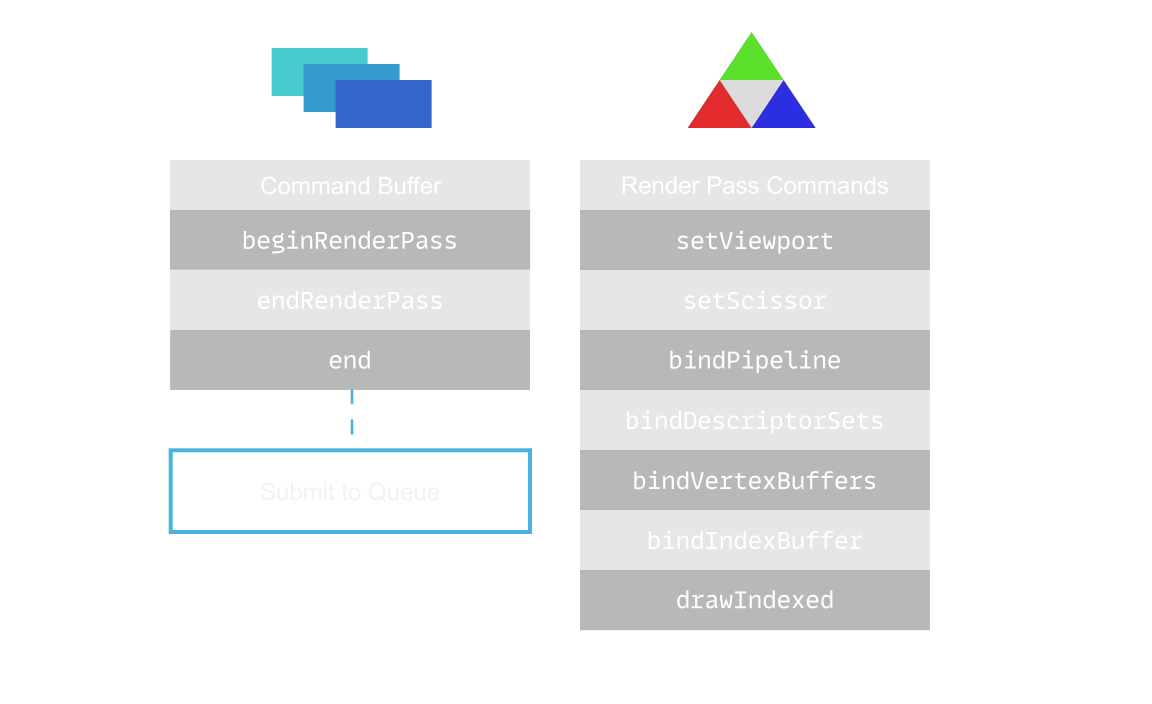
A command buffer is a container of GPU commands, this is where you would see commands similar to OpenGL's state commands:
bindPipeline
bindVertexBuffers
bindIndexBuffer
setViewport
setScissor
blitImage
A common pattern for building a command buffer is:
Start Render Pass
Bind Resources
Descriptor Sets
Vertex and Index Buffers
Pipeline State
Modify Dynamic State
Draw
Repeat 2 Through 4 as Needed
End Render Pass
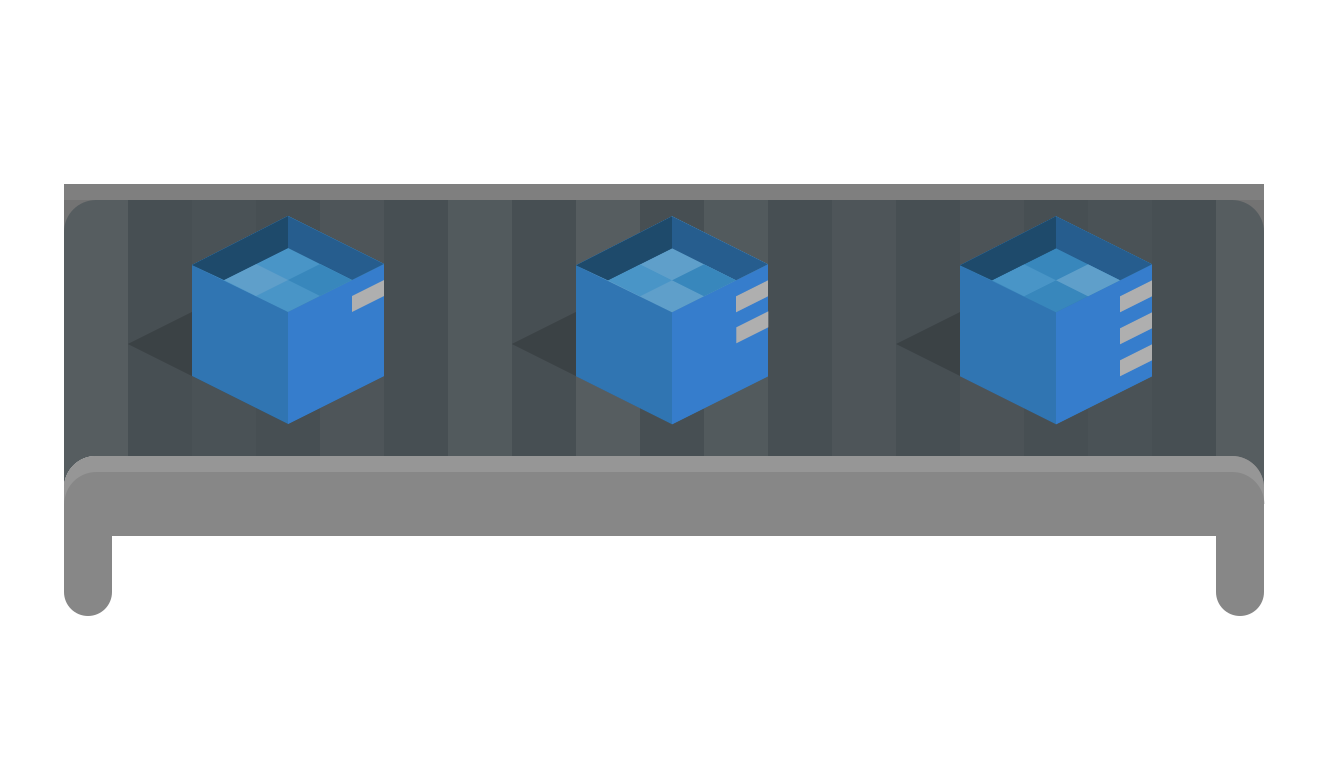
Different command buffer pools allow multiple threads performing generating command buffers, thus you could allocate a thread for each core on the CPU, and split rendering tasks across each core. This could be used to distribute rendering individual objects, differed rendering passes, physics calculations with compute buffers, etc.
Conclusion
Vulkan is a pretty complicated API to wrap your head around, and while this post attempts to make it simple, there's still a lot to bear in mind that other graphics APIs deal with for you. Aspects of the API like memory management, queue indices, descriptor sets, don't exist in other APIs but exist here to make this API much faster at the cost of added complexity to your renderer.
Arseny Kapoulkine (@zeuxcg) wrote an article on how to write an efficient vulkan renderer that goes over the mental model you should have when authoring your renderer.
You'll find all the source code described in this post in the Github repo here.
 Alain Galvan ·Sep 8, 2019 · Updated 1 week ago